

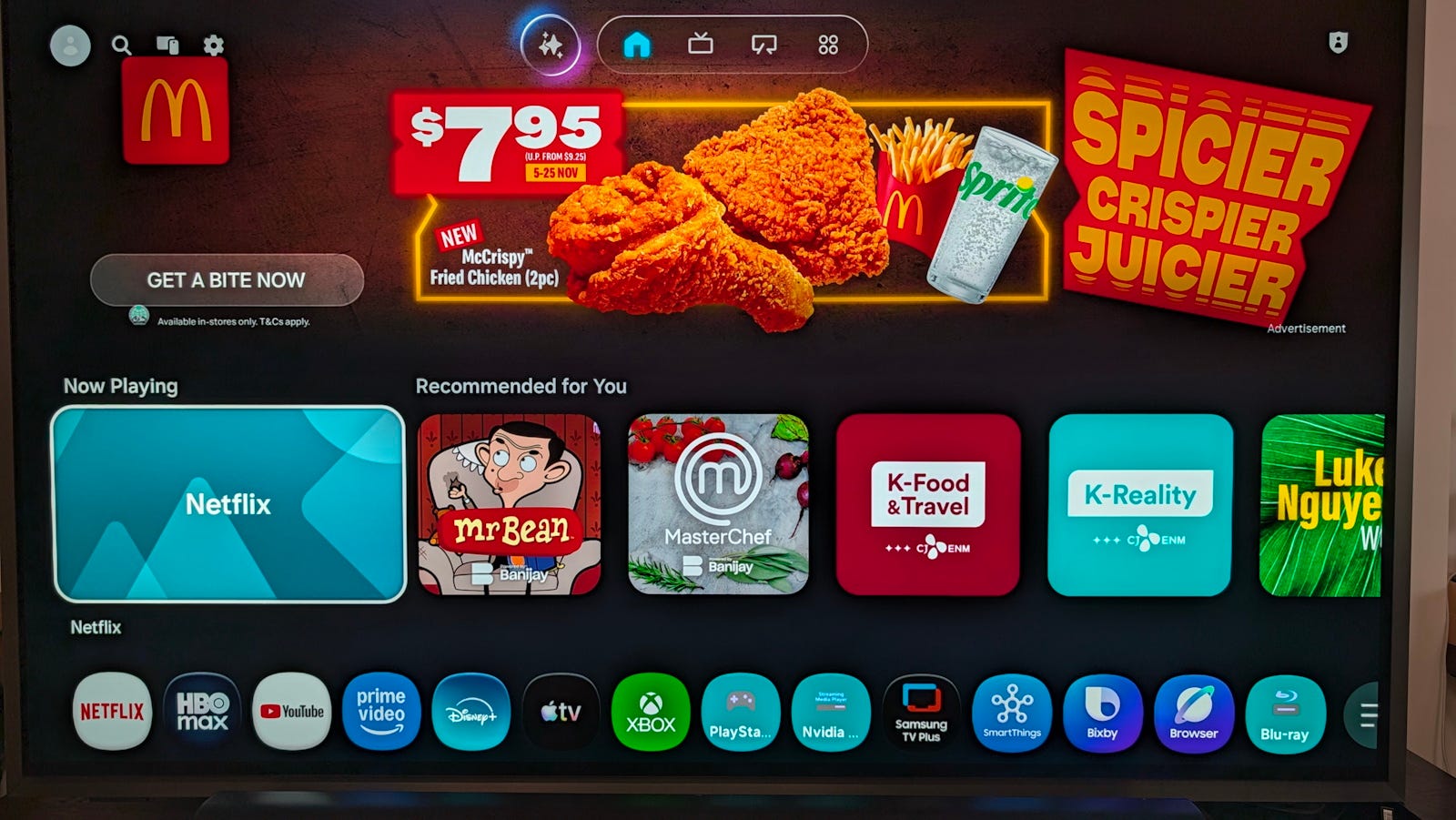
So I have been testing the Samsung S95H OLED TV for the past few weeks. My review is coming out soon, but simply put, it’s one of the best TVs of the year with incredible visuals. There’s just one glaring issue: A huge banner ad that takes up 1/3 of the home screen.
Yes, there’s a huge banner ad on my 77-inch Samsung S95H review set, a flagship OLED TV. Imagine paying almost S$10,000 for this premium TV, and still getting served ads because that’s apparently still not enough.
It’s not just Samsung. I already ranted about the amount of bloat and the banner ad while reviewing the LG C6. Not to mention the recent expose by Gamer Nexus about spyware in LG TVs. Basically, you can expect every smart TV to have some form of content recognition software that’s constantly watching what you watch and sending it back to the manufacturers. Some may let you opt-out, but you’re still getting ads, just not the ones personalised for you.
Now, this is when I would usually recommend that consumers buy an Apple TV 4K, which offers a clean, ad-free interface, and actually run circles around the slow processors used in TVs. Unfortunately, the latest Apple TV 4K has gotten a significant price hike as well as built-in microphones (yikes) for Siri AI that cast some doubt over its privacy, even with Apple’s relatively good track record here.
But you’re not quite out of luck yet. Some enterprising users have been using AI to debloat their TVs, and customising the interface to their own tastes. It’s actually not that difficult for TVs running the Google TV operating system. You can easily unlock developer options, and then it’s just a matter of connecting a PC to the TV via its USB port or through Wi-Fi. You can follow detailed instructions, as well as get the actual prompts here. Or you can even use AI to guide you through it.
Best of all, this “debloating” process can be reversed and the original Google TV interface and settings restored if you don’t like the result. Also, any changes to the TV interface and apps are usually retained even after a firmware update.
Now, there are always risks when asking AI to make such sweeping changes to your TV. It’s worth reading up on that before you start. Such as disabling developer options once you’re done tweaking the TV. Or maybe try the vibe coding on an older TV that you can afford to lose if the AI happens to brick it. Alternatively, the Google Play Store has several TV launchers that offer a cleaner appearance often inspired by Apple TV.
I didn’t try anything funny for the Samsung S95H — it’s a loaner unit — and from what I found online, it’s a bit more complicated to debloat a Samsung TV that uses their own proprietary Tizen OS instead of Google TV.
Side note: As it seems so easy to use AI to redo the TV interface, I think smaller brands, which often use Google TV OS anyway, should explore this avenue to give their TVs a leg up against the competition. Offer it as a "theme" for their TVs along with the standard Google TV so that consumers can try it if they want.
This week, we played the remake of an all-time classic Zelda game, tested the new Vivo V80, which looks very much like the previous model, and tried Google’s premium Fitbit Edge fitness tracker.

If there’s one game that you should be playing (besides GTA VI), it should be the Ocarina of Time remake. It looks great, with quality-of-life tweaks that improve the experience. More importantly, the updated gameplay retains the original game design while making it more modern. It’s the best version of an all-time classic video game, at least for now.
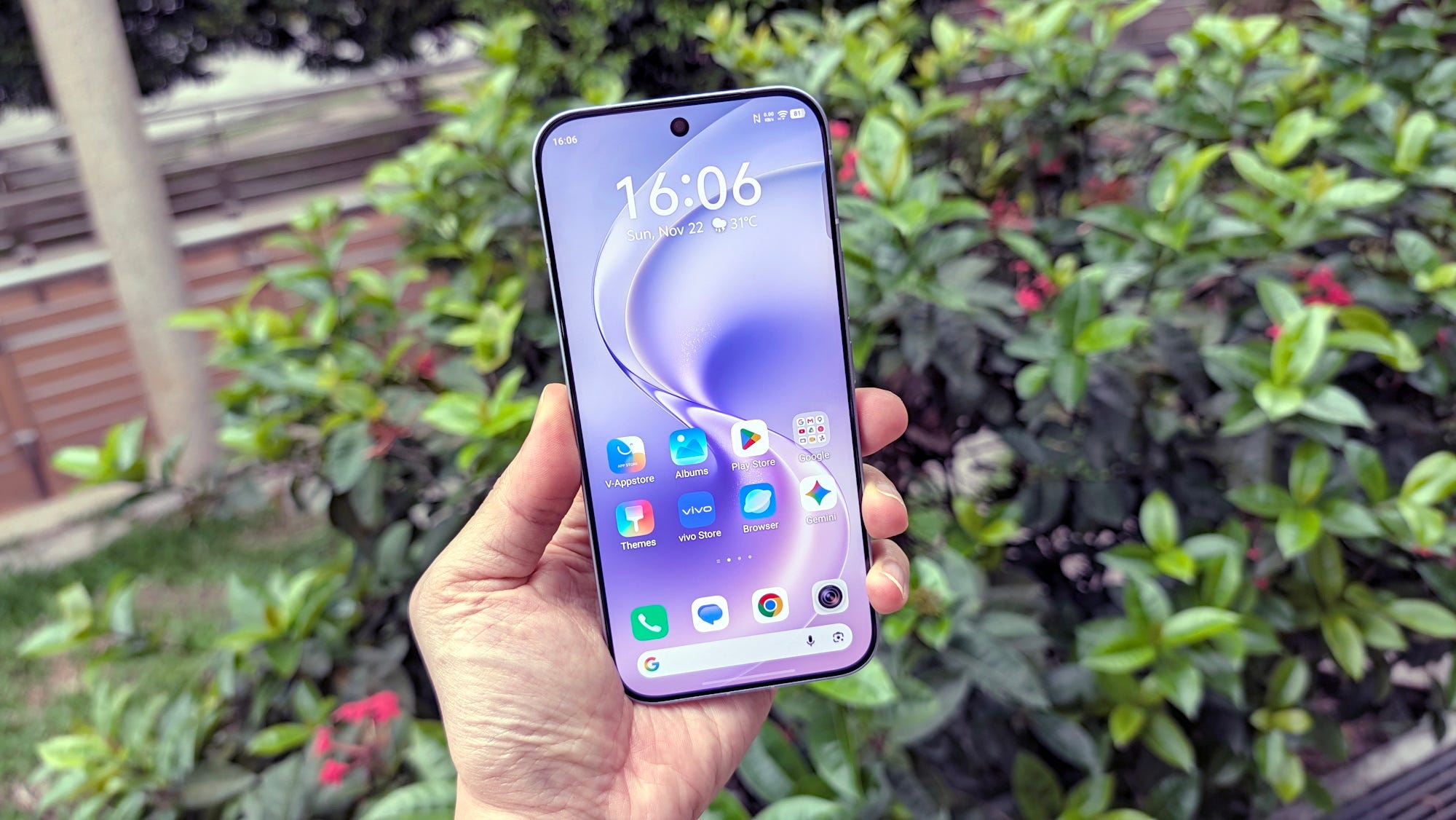
If you’re looking for an upgrade, the Vivo V80 isn’t much of one over its predecessor. You do get a larger battery that adds another couple of hours in our battery test, but the cameras, processor, and even the display (despite the 144Hz upgrade) are mostly the same. That said, the V80 is still a good upper mid-range phone, though its value proposition is undercut by the higher launch price.
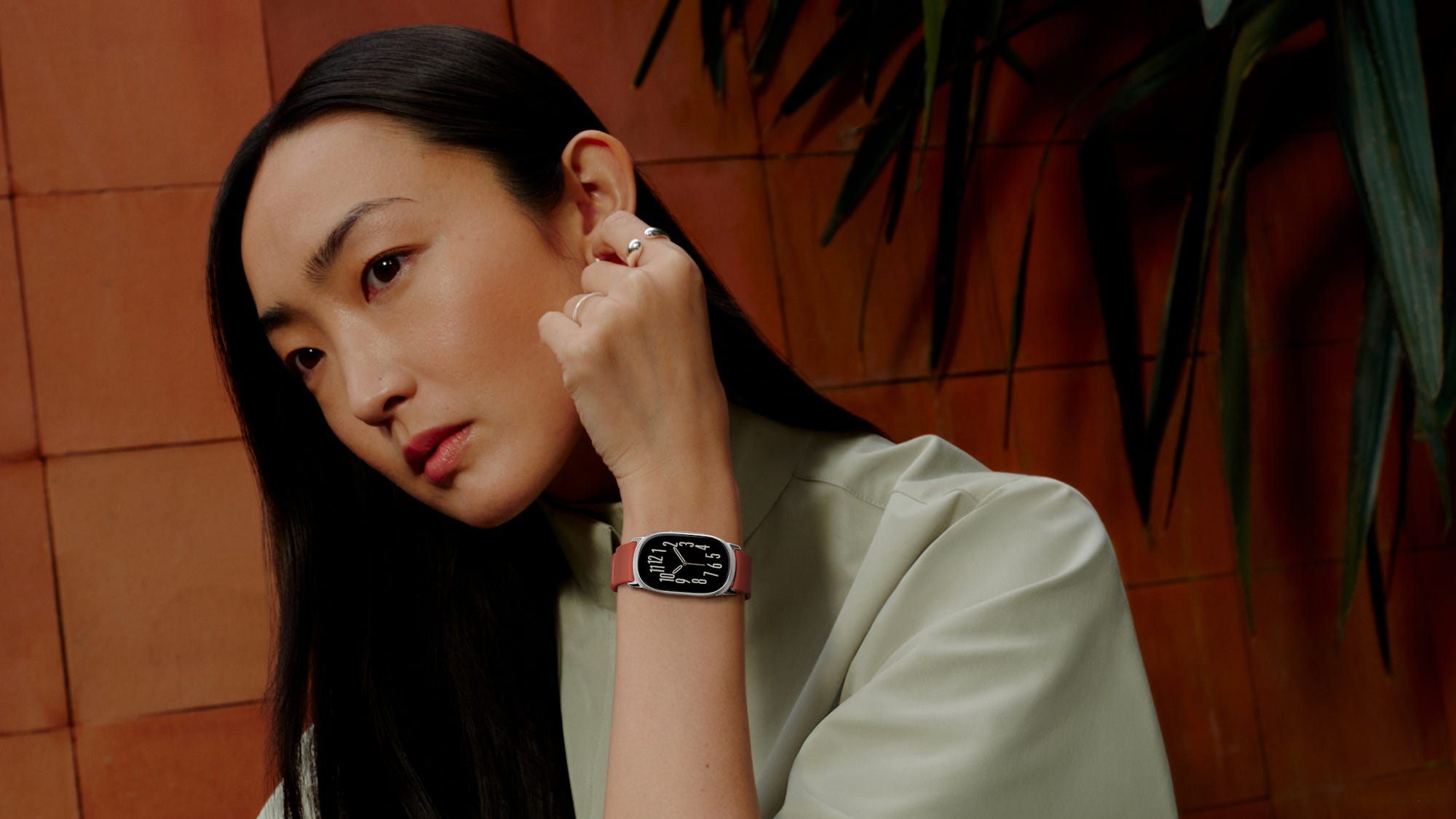
The Google Fitbit Edge offers a premium fitness tracker experience, with a responsive interface that looks like the Wear OS found in Google Pixel smartwatches (but not). The battery life is much longer than smartwatches, especially if Always-on display is disabled, while its slim build makes it more comfortable to wear. However, there are cheaper competitors out there.