Getting started on local AI with Intel's AI Playground
Local AI for noobs
Apple’s Mac mini desktop computer, which was launched back in 2024, has surprisingly emerged as one of the year’s hottest tech products. Apparently, it’s been selling out in many places, including Singapore.
And it’s all because of AI. Specifically, users are trying out OpenClaw, an open-source AI agent that has gone viral for being able to run locally on computers such as the capable (and relatively affordable) Mac mini. The advantages of doing so are obvious: You don’t need to be online, it’s cheaper, and your data is kept private.
While the Mac mini is getting all the attention, you don’t actually need it to run OpenClaw. The compact form factor of the Mac mini helps, but according to Intel, OpenClaw “runs best on Intel-based AI PCs”.
Now, I have yet to try OpenClaw on any computer, Intel or otherwise. But at a recent launch event for Intel’s latest Core Ultra Series 3 processors, I did get a close look at Intel’s AI Playground, a free suite of generative AI tools packaged into a Windows desktop installer for folks who aren’t too savvy with navigating all the AI models that are out there.
I’ll admit that I didn’t know anything about AI Playground before, despite it being available since 2024. There’s one catch, though. You’ll need a newish Intel computer with an Intel Arc GPU (Core Ultra series). Since I had an Intel-powered laptop (alas not with the latest Core Ultra 3 chip) on hand, I took it for a quick spin.
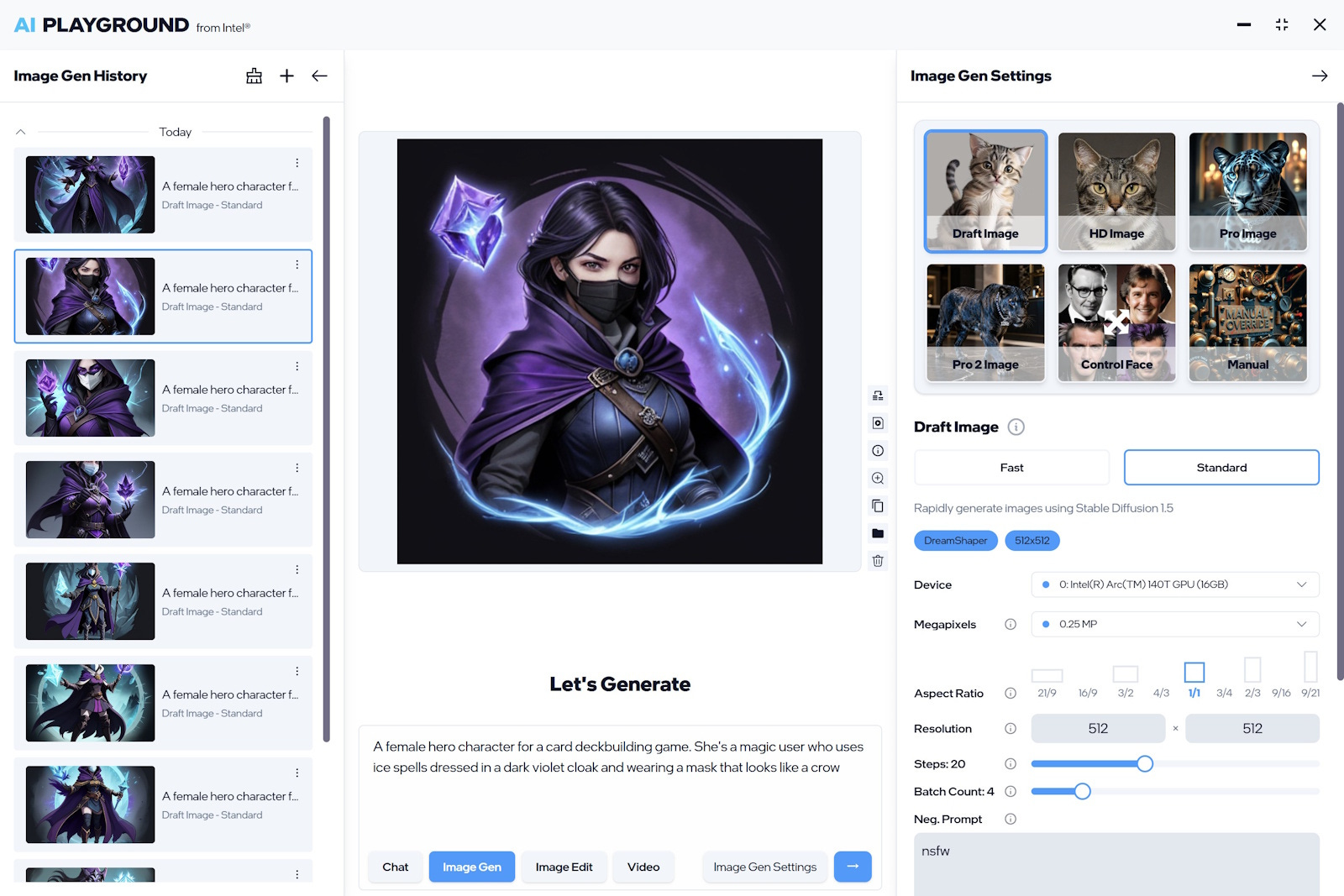
The installation was indeed as hassle-free as advertised. Download the app, and it will set almost everything up, including getting some of additional AI models required. All you need to do is to click, no need to type in a command-line interface. The AI Playground interface offers four typical usage scenarios: Chat, Image Gen, Image Edit and Video. In the settings, you can select the AI model, adjust the resolution for image generation, and more. Here’s where you may need some background knowledge on the AI models to use, and the appropriate settings.
As for the results from the AI, I suppose they are about as good or as bad as your prompts. I spotted some factual errors when asking the chat to analyse the performance of Liverpool manager Arne Slot, while some of the generated images were wonky and less than usable. But they all worked without internet access, and the speed was reasonable on the Intel laptop. An in-depth comparison between online trading platforms Longbridge and Moomoo took about 35 seconds, for example.
Would I use AI Playground over Gemini or ChatGPT? As a casual user, the convenience of Gemini, especially since it’s already on practically all my devices, is hard to beat. But like other tech-driven services, I believe it’s only a matter of time before tech firms — the ones that survive the inevitable culling and consolidation — raise prices to make a profit. So it may be useful to get a handle on local AI, especially if you’re running a small business that can benefit from the automation that AI enables.
Our reviews this week include a new portable Sonos speaker, DJI’s 360-degree drone, and a super-slim magnetic power bank from Xiaomi.
The new Sonos Play fills in a gap in the audio firm’s existing portable speaker lineup. It’s much more portable than the Move 2, while offering better sound than the handy Roam. And for the first time, you can connect up to four Play or Move 2 speakers to play music together via Bluetooth. Expect up to 24 hours of playtime from the battery, which is user-replaceable — a win for sustainability. It is, however, a bit expensive at S$549.
The DJI Avata 360 is the drone maker’s response to the Antigravity A1. But while the latter is smaller, and offers only first-person view, the DJI lets you control it with either the controller or paired with a DJI Goggles 3 and a DJI Motion Controller 3. The Avata 360 also takes better video and photos, and is more affordable with a starting price of S$829.
The Xiaomi UltraThin Magnetic Power Bank 5000 is exactly what its name says. It’s very slim at just 6mm, weighs a feathery 98g, and can be magnetically attached to a compatible smartphone like the iPhone (it’s not MagSafe certified, though). It’s even available in a similar shade of orange as the iPhone 17 Pro models. But it’s not very fast, with a maximum wireless output of 15W — plug in a cable to get 22.5W.


